Mail Folders & Filters
Learn how to keep your inbox organized using folders and automatic message filters (Sieve scripts).
Part 1: Managing Folders
Step 1: Open the Mail Module
Click Mail in the sidebar. Your folders are listed on the left:
- Inbox — Received messages
- Sent — Messages you've sent
- Drafts — Unsaved messages
- Trash — Deleted messages
- Spam — Junk mail (if enabled)
Step 2: Create a New Folder
- Right-click on any folder (e.g., Inbox)
- Select New Folder or Add Folder
- Enter a name (e.g., "Projects", "Clients", "Archive")
- Click OK
Alternatively, click the + icon next to the folder list header.
Step 3: Create Nested Subfolders
To organize further, create subfolders:
- Right-click on a folder you created
- Select New Subfolder
- Name it (e.g., "Projects/Active", "Projects/Completed")
Result:
📁 Inbox
📁 Sent
📁 Projects
  📁 Active
  📁 Completed
📁 Clients
Step 4: Move Messages to Folders
Drag and drop: Click a message and drag it onto a folder
Right-click: Right-click a message → Move to folder → select destination
Keyboard: Select messages, press V, then choose folder
Step 5: Rename or Delete a Folder
- Rename: Right-click folder → Rename
- Delete: Right-click folder → Delete (empties folder first)
Deleting a folder also deletes all messages inside it. Move important messages elsewhere first.
Part 2: Automatic Filters (Sieve)
SOGo 5 uses Sieve scripts for server-side mail filtering. Filters run when email arrives — before you see it in your inbox.
Step 1: Open Filter Settings
- Click the gear icon ⚙ (Settings) in the top toolbar
- Select Mail → Filters
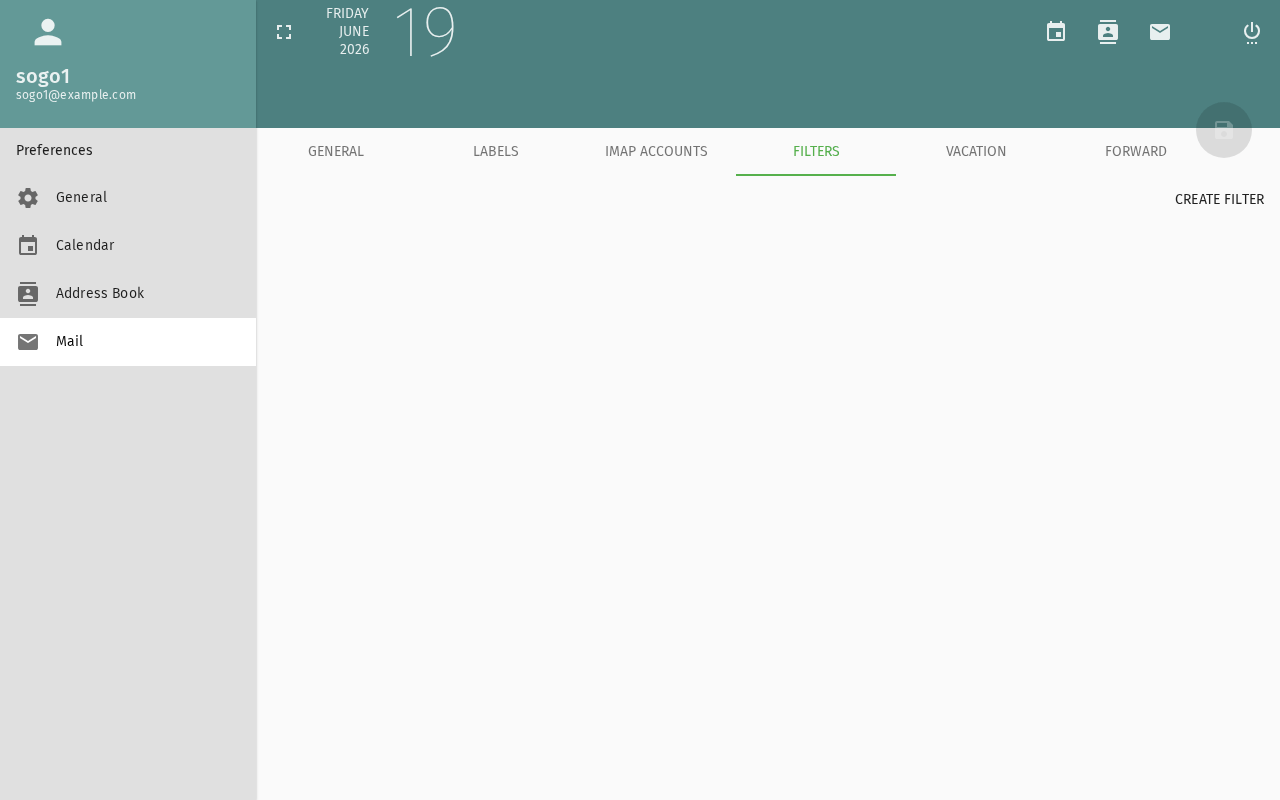
Step 2: Create a New Filter
Click Add Filter or the + button.
Step 3: Define Conditions
Choose when the filter should apply:
| Condition | Example: When this condition matches |
|---|---|
| From contains | @example.com → all mail from that domain |
| Subject contains | [Spam] → flag potential spam |
| To contains | team@company.com → mailing list messages |
| Size larger than | 5M → large attachments |
You can combine multiple conditions:
- All conditions must match (AND)
- Any condition can match (OR)
Step 4: Define Actions
Choose what happens when conditions are met:
| Action | Use Case: When to apply |
|---|---|
| Move to folder | Sort into the right folder |
| Copy to folder | Keep a copy in inbox + file in folder |
| Forward to | Send to another address |
| Mark as read | Auto-archive newsletters |
| Mark as flagged | Highlight important senders |
| Discard | Delete spam (use with caution) |
| Reject with message | Bounce unwanted email with a custom message |
Step 5: Set Filter Priority
Filters run in order from top to bottom. Drag filters to reorder them. The first matching filter's action is applied.
Step 6: Save the Filter
Click Save or Apply. The Sieve script is compiled and activated on the server immediately.
Example Filters
Example 1: Sort Work Emails
Condition: From contains "@company.com"
Action:    Move to folder "Work"
Example 2: Flag Urgent Messages
Condition: Subject contains "URGENT"
Action:    Mark as flagged
Example 3: Archive Newsletters
Condition: From contains "newsletter@"
Action:    Move to folder "Newsletters"
Troubleshooting
Filters not working
- Check that Sieve is enabled (
SOGoSieveScriptsEnabled = YES) - Verify your Sieve server address in the SOGo 5 configuration
- Test with a simple filter first (e.g., move all mail from yourself)
- Check server logs for Sieve compilation errors
Folder not showing
- Click the Refresh button in the folder list
- Log out and log back in
- Check that the folder was created (not accidentally named with slashes)
Conclusion
Folders and filters help you maintain a clean inbox without manual effort. Start with 2–3 filters for your most common email patterns.
Accessibility
Keyboard Navigation
SOGo 5 supports full keyboard navigation for mail folders and filters.
| Action | Keyboard Shortcut: What key to press | Notes: Additional information |
|---|---|---|
| Navigate to Mail | Alt+M, Tab to Mail | |
| Open folder management | Right-click folder, gear icon | |
| Create folder | Ctrl+Shift+N | |
| Open filters | F or gear icon → Filters | |
| Create new filter | Ctrl+F or "+" button | |
| Navigate filter conditions | Tab between fields | |
| Add action | A to add, D to delete action |
Screen Reader Workflow
Setting Up Mail Folders and Filters
Step 1: Navigate to Mail Module
Alt+Mto focus sidebar- Arrow keys to "Mail"
Enterto open mail view
Step 2: Create Folder
- Right-click on mail account or press gear icon
- Navigate to "New Folder" or press
Ctrl+Shift+N - Type folder name
- Press
Enterto create
Step 3: Open Filters
- Gear icon settings
- Arrow to "Filters"
- Press
Enter
Step 4: Create Filter
- Focus on "+" button or press
Ctrl+F - Type filter name
- Tab to condition dropdown
- Select condition (e.g., "From contains")
- Tab to value field, enter value
- Tab to actions, set action (e.g., "Move to folder")
- Tab to "Save" button, press
Enter
Common Screen Reader Announcements:
| Announcement: What screen reader says | Meaning: What it means | Action: What to do |
|---|---|---|
| "Mail, tree view" | Mail folder list | Navigate folders |
| "New folder, button" | Create folder action | Press Enter, type name |
| "Filters, dialog" | Filter management open | Create new filter |
| "Condition, combo box" | Filter condition dropdown | Arrow key to select |
| "Action, list grid" | Available filter actions | Arrow to select action |
| "Filter saved" | Success | Filter now active |
Visual Content Descriptions
folders-filters.png: This 4.5-second animated GIF shows creating mail folders and filters.
- Frame 1 (0-1.2s): Mail view showing folder list on left
- Frame 2 (1.2-2.5s): Folder creation dialog open, typing new folder name "Archive"
- Frame 3 (2.5-4.5s): Filters dialog open, creating new filter with condition "From contains @example.com" set to move to Archive folder
High Contrast Mode
SOGo 5's dark mode and high contrast mode work with all sections described above. Toggle via: Settings button (gear icon) → General → Theme → Dark/High Contrast.