Mail — Reply, Forward & Delete
After reading an email, you can reply to the sender, forward to others, or delete it.
Prerequisites
- A SOGo 5 account with valid credentials
- You are logged into SOGo 5
- At least one email in your inbox
Part 1: Reply to an Email
Step 1: Select the Email
Click on the email you want to reply to.
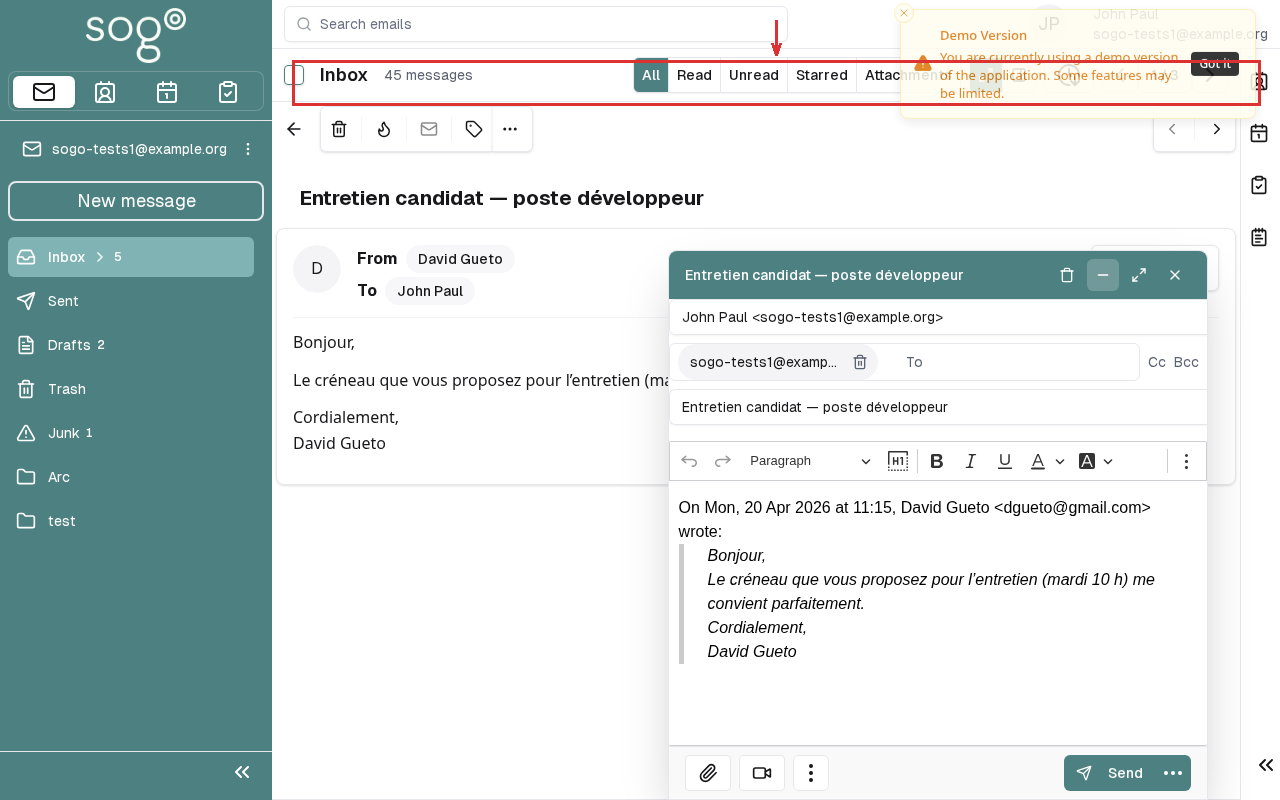
Step 2: Click Reply
Click the Reply button in the email viewer toolbar.
The reply composer opens with the recipient and subject pre-filled.
Step 3: Write and Send
Type your message and click Send.
Part 2: Forward an Email
Step 1: Select the Email
Click on the email you want to forward.
Step 2: Click Forward
Click the Forward button.
Step 3: Add Recipients
Enter the email address of the person you want to forward to, then click Send.
Part 3: Delete an Email
Step 1: Select the Email
Click on the email you want to delete.
Step 2: Click Delete
Click the Delete icon (trash can).
The email is moved to the Trash folder.
To permanently delete an email, empty the Trash folder by right-clicking it and selecting "Empty Trash".
Keyboard Shortcuts
| Action: Description | Windows/Linux | Mac |
|---|---|---|
| Reply | Ctrl + R | ⌘ + R |
| Delete | Delete | Delete |
| Forward | Ctrl + F | ⌘ + F |
Delete actions move emails to the Trash folder. To recover, select the Trash folder and drag the email back to Inbox.
Troubleshooting
| Issue: Description | Possible Cause | Solution |
|---|---|---|
| Reply/Forward button not visible | Email body already open | Close the compose window and try again |
| Email not in Trash after delete | Trash folder full | Empty the Trash folder first |
| Reply bounces | Invalid recipient email | Verify the email address is correct |
Accessibility
Keyboard Navigation
This application supports keyboard navigation. No mouse required for completing this task.
| Action | Keyboard Shortcut: What key to press | Notes: Additional information |
|---|---|---|
| Navigate modules | Tab / Shift+Tab | |
| Select/activate | Enter or Space | |
| Cancel/close | Escape | |
| Navigate lists | Arrow keys |
Screen Reader Navigation Order:
- Sidebar navigation →
Tabto enter - Module content →
Arrow keysto navigate - Action buttons →
SpaceorEnterto activate - Forms →
Tabbetween fields, arrows for dropdowns
High Contrast Mode
SOGo supports high contrast and dark mode. Toggle via user preferences or use browser/OS-level accessibility settings:
- Windows:
Win+Ctrl+Ctoggles high contrast - macOS: System Preferences → Accessibility → Display → Increase contrast
- Browser Extensions: Dark Reader, High Contrast (Chrome)